

Overview#
이번 포스팅에서는 LLM application을 위한 Observability 플랫폼인 Langfuse를 Helm차트로 Openshift에 배포하고,
IBM의 AI agent 및 tool builder 플랫폼인 Watsonx Orchestrate와 연결해보도록 하겠습니다.
테스트 환경
Openshift 4.18
SoftwareHub 5.3.2
Langfuse 3.155.1
Langfuse 배포#
1. helm 설치#
공식문서 : Kubernetes (Helm)
이 문서에서는 offline설치를 기준으로 설명하겠습니다.
공식 helm repo에서 helm바이너리파일을 다운로드 받습니다.
2. langfuse repo 다운로드#
이제 공식 langfuse-k8s repo에서 release파일을 다운로드 받습니다.
3. values.yaml#
helm install하기전에 필요한 값들을 채워넣어주도록 하겠습니다.chats/langfuse/values.yaml을 custom_values.yaml이라는 이름으로 복사해서 사용하도록 하겠습니다.
image들은
values.yaml파일을 참고해서 미리 private registry에 mirror해둬야 합니다!
참고용 예시 :
global
  imageRegistry: registry.test.net:5000
  security:
    allowInsecureImages: true
langfuse:
  image:
    tag: latest
    pullPolicy: IfNotPresent
  web:
    image:
      repository: registry.test.net:5000/langfuse/langfuse-web
      tag: 3.155.1
      pullPolicy: IfNotPresent
  worker:
    image:
      repository: registry.test.net:5000/langfuse/langfuse-worker
      tag: 3.155.1
      pullPolicy: IfNotPresent
postgresql:
  image:
    repository: langfuse/postgresql
    tag: 17.3.0
  primary:
    persistense:
      storageClass: ocs-storagecluster-ceph-rbd
redis:
  image:
    repository: langfuse/valkey
    tag: 8.0.2
  primary:
    persistense:
      storageClass: ocs-storagecluster-ceph-rbd
clickhouse:
  image:
    repository: langfuse/clickhouse
    tag: 25.2.1
  zookeeper:
    image:
      repository: langfuse/zookeeper
      tag: 3.9.3
  persistence:
    storageClass: ocs-storagecluster-ceph-rbd
s3:
  image:
    repository: langfuse/minio
    tag: 2024.12.18
  persistence:
    storageClass: ocs-storagecluster-ceph-rbd
4. install#
이제 Openshift cluster에 langfuse를 띄워보도록 하겠습니다.
# oc new-project langfuse

# helm upgrade --install langfuse /path/to/langfuse-*.tgz \
--namespace langfuse \
-f custom_values.yaml \
--set langfuse.salt.value=$(openssl rand -hex 32) \
--set langfuse.nextauth.secret.value=$(openssl rand -hex 32) \
 --set postgresql.auth.password=passw0rd \
--set clickhouse.auth.password=passw0rd \
--set redis.auth.password=passw0rd \
--set s3.auth.rootPassword=passw0rd
5. 계정만들기#
정상적으로 pod가 올라왔다면 web에 접속할 수 있는데요,
먼저 sign up 페이지를 통해 계정을 만들어줍니다.
계정을 생성한 다음, Project를 생성하고 API key를 발급받습니다.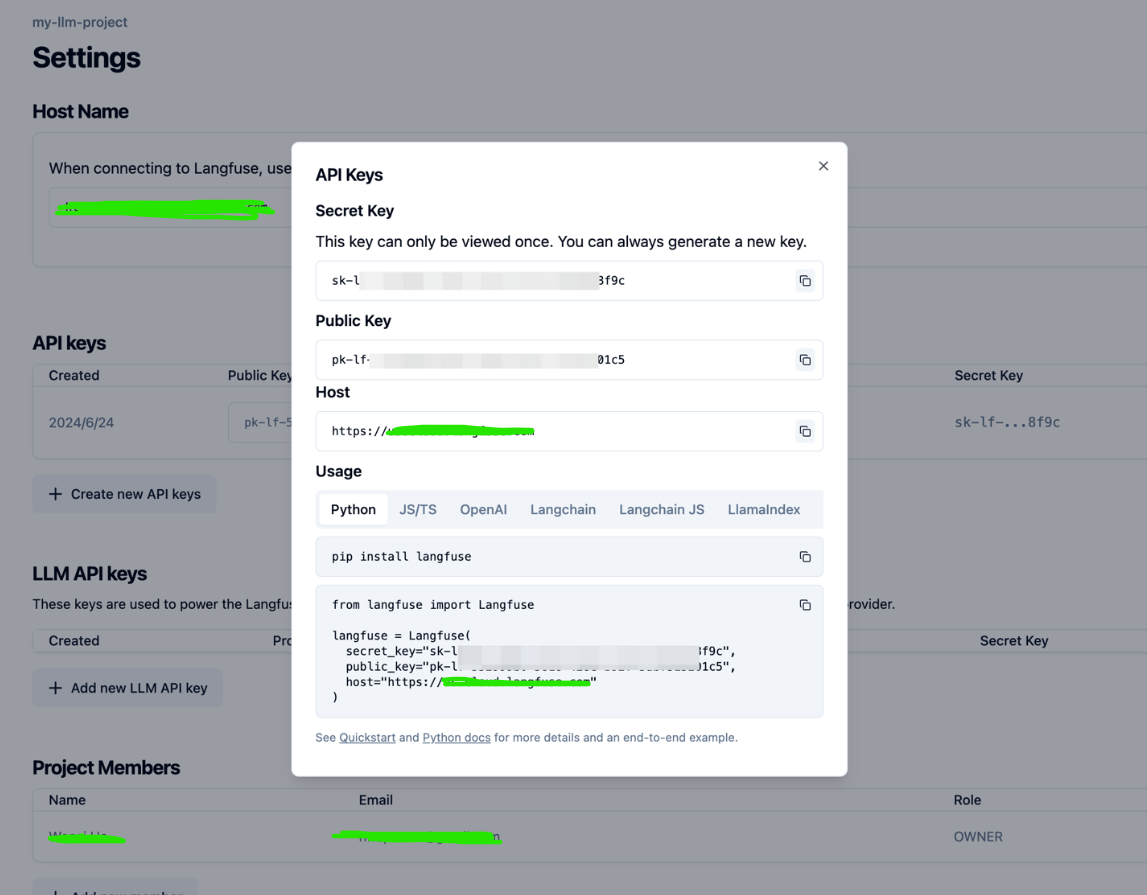
secret key와 public key를 저장해두시면 됩니다.
Troubleshooting : Dirty Database#
langfuse-web pod에서 아래와 같은 에러가 발생할 시:
No pending migrations to apply.
error: Dirty database version nn. Fix and force version.예를 들어서 “error: Dirty database version 25. Fix and force version.” 이라고 에러가 난다면 25버전에서 마이그레이션이 실패했거나 중단되어서 Database가 차단된 상태를 의미합니다.
마지막으로 성공한 24버전으로 롤백을 해야하는데, 권장하는 방법은 golang-migrate tool을 사용하여 복원하는 방식입니다.
그러나 저의 경우 golang-migrate를 폐쇄망에서 설치하기 쉽지 않았기 때문에 DB에 접속하여 강제로 이전상태로 복원시켰습니다.
clickhouse pod에 접속
$ oc exec -it clickhouse-pod -- clickhouse-clientdirty가 1인 최신 레코드를 찾기:
$ SELECT * FROM schema_migrations ORDER BY version DESC;삭제(주의해서 명령어를 실행하세요)
$ DELETE FROM schema_migrations WHERE version=25;삭제한다음 langfuse-web pod를 재시작하면 정상으로 돌아오게 됩니다.
wxo와 연동하기#
다음으로 watsonx orchestrate와 langfuse를 연동하여 LLMops를 구성해보겠습니다.
1. wxo ADK 설치#
공식 repo -> IBM/ibm-watsonx-orchestrate-adk
혹은
$ pip install --upgrade ibm-watsonx-orchestrate2. wxo instance와 연결#
이제 ADK와 watsonx orchestrate instance와 연결하도록 하겠습니다.
$ orchestrate env add -n <envName> -u <serviceInstance url> --insecure -t cpdenvName : 아무이름serviceInstance url : orchestrate화면에서 오른쪽 위 계정 클릭 > settings에서 확인가능
$ orchestrate env activate <env name> --skip-version-check3. langfuse와 연결#
$ vim langfuse.yaml

spec_version: v1
kind: langfuse
project_id: <langfuse project name>
api_key : <langfuse project apikey>
url: http://langfuse-web.langfuse.svc.cluster.local:3000/api/public/otel
host_health_uri: http://langfuse-web.langfuse.svc.cluster.local:3000
config_json:
  public_key: <langfuse project public key>
mask_pii: true
연결:
$ orchestrate settings observability langfuse configure --config-file=langfuse.yamlAppendix.#
langfuse 연결 삭제 :
$ orchestrate settings observability langfuse removewxo 환경 삭제 :
$ orchestrate env remove -n <name>